Mastering SEO Basics: The Only Guide You Need to Dominate Search Rankings
Vinayak SP
6/05/2026
Search Engine Optimization (SEO) is like having a secret map that helps your blog stand out in a crowded digital world where millions of posts compete for attention every single day. If you have ever wondered why some blogs magically appear on the first page of Google while yours seems lost in internet space, SEO basics for bloggers holds the answer you have been looking for.
How to get your content found on Google —
Welcome to the wild world of SEO fundamentals, & blogging, where everyone is shouting into the void and hoping someone, somewhere, hears them. You have written a masterpiece, a digital Mona Lisa of words, but there it sits, gathering digital dust in the corner of the internet. Why? Because nobody can find it! It is like opening a world-class restaurant in the middle of a desert without a map or a signboard. You could have the best content, the best products, and the best intentions, but without a roadmap, you are invisible. This is where the magic of Search Engine Optimization (SEO) comes into play. It is not just a fancy tech term; it is the lifeblood of your online presence. If you are struggling to get those initial clicks, you might want to check out our guide on how to successfully make money blogging to set your foundation right.
Think of SEO as the friendly librarian of the internet. When someone asks a question, the librarian (Google) needs to know exactly which book (your blog) has the answer. If your book is mislabeled, hidden in the wrong section, or written in invisible ink, the librarian will never find it. SEO basics are simply the rules you follow to make the librarian’s job easy. Mastering these basics is the difference between a thriving business and a forgotten hobby. We are going to break down everything, from the nitty-gritty of keyword research to the complex architecture of site speed, ensuring you have the tools to climb to the top. Let us stop shouting into the void and start speaking the language of search engines.
So, grab a cup of coffee, or maybe something stronger if you are technically challenged, and let’s dive in. We are not just going to skim the surface; we are going to deep dive into the mechanics of how search engines actually work. You will learn how to charm the bots, dazzle your readers, and build an authority that stands the test of time. Whether you are running a personal diary or a complex Blogger vs WordPress powered site, the principles remain the same. Ready to turn your blog into a traffic magnet? Let’s get started.
Think of SEO as teaching your blog to speak the same language as search engines so they can understand exactly what you are trying to say. When done right, SEO best practices transform your blog from an internet wallflower to the life of the Google party, attracting visitors like bees to honey without spending a single penny on ads.
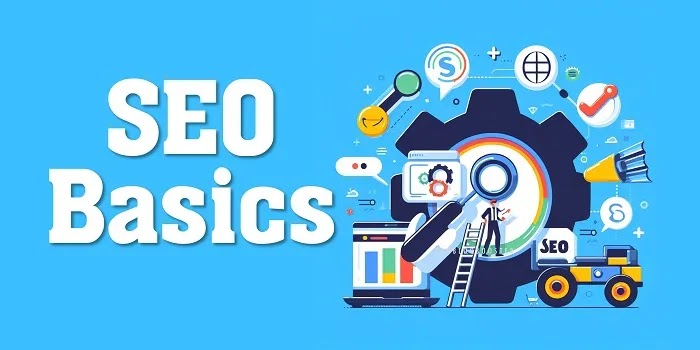
Visualizing the journey of your content from your brain to the top of Google's search results.
What Is Search Engine Optimisation & Why It Matters More Than Your Morning Coffee?
First things first, what exactly is SEO? Simply put, it is the art and science of making your website attractive to search engines like a magnet attracts paperclips. Search engine optimization is a collection of techniques used to improve your blog's visibility in search results for specific words and phrases that people type into Google.
When your blog appears on the first page of search results, it attracts more organic traffic, which can lead to increased visibility, higher engagement, and ultimately, more success for your blog. Think of organic traffic as free visitors who are actually interested in what you have to say - way better than those random clicks from ads!
The main goal is to get more visitors to your blog without paying for each click. The higher your blog ranks in search engines for a particular keyword, the more likely people will find it when searching. This naturally translates into higher traffic, which is like having a busy storefront in the middle of town instead of a hidden shop in an alley.
Keyword Research: The Treasure Map of SEO That Beginners Often Miss
Keywords are the foundation of SEO - they are the exact words and phrases people type into Google when looking for information. Imagine keywords as the secret code that connects your blog with people searching for exactly what you offer. Without the right keywords, your blog is like a treasure chest buried on a deserted island with no map!
To optimize your blog, you need to identify relevant keywords that are popular and have a good search volume. This process is called keyword research, and it is like being a detective searching for clues about what your audience wants to know. I recently posted about how keyword research works for beginners that you must check to understand this crucial step.
Tools like Google Keyword Planner or SEMrush can help you discover these keywords and understand their competition levels. But do not just stuff keywords everywhere like a turkey on Thanksgiving - use them naturally. Also consider LSI keywords which are related terms that help search engines understand the context of your content better.
How Does SEO Help To Improve A Blog's Search Ranking? (The Magic Behind The Curtain)
Whenever someone uses Google to search for a "keyword", Google looks through its massive database of websites to find the most relevant results. It is like a super-fast librarian who has read every book in the library and knows exactly which one answers your question best. The goal of SEO ranking factors is to make sure the librarian picks your blog first!
Earlier, search results were based solely on keywords, which led to websites stuffing their content with popular but unrelated keywords just to get traffic. However, over the years, Google's search algorithm has become smarter than a fifth grader with a smartphone. It now considers hundreds of factors before displaying results for any particular query.
Although Google keeps its algorithm secret like a recipe for the world's best chocolate chip cookies, SEO experts have figured out many of the important ingredients. Once you understand these SEO techniques, you can work on improving those aspects to make sure your website ranks higher in search results. Think of it as knowing the scoring system for a game - once you understand how points are awarded, you can play to win!
Types Of SEO: The Two-Headed Dragon Every Blogger Must Tame
SEO can be classified into two main types depending on where you apply your optimization efforts. Understanding these types is like knowing both offense and defense in a sports game - you need both to win! Let us break down these SEO strategies in a way that even your pet goldfish could understand (if it could read, which would be pretty amazing).
1. On-Page SEO Optimization: Making Your Content Shine From The Inside
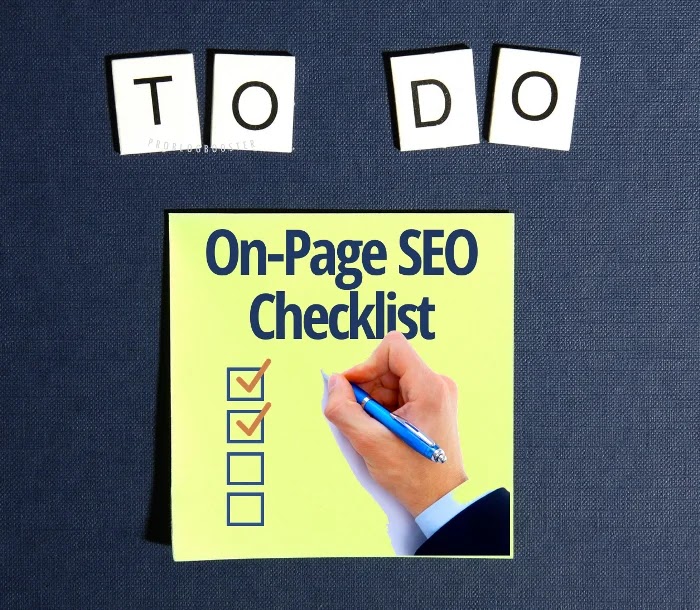
Boost your website's visibility with our comprehensive On-Page SEO Checklist. It's a must-have tool for website optimization, offering a free, easy-to-follow template. Our checklist covers all essential on-page SEO techniques.
On-page SEO refers to optimizing individual web pages to improve their search engine rankings. Think of it as giving your blog posts a makeover so they look their absolute best for search engines. On-page SEO factors include everything you can control within your blog post to make it rank higher for specific keywords.
This type of optimization is like preparing your house for guests - you clean, organize, and decorate to make it welcoming. Similarly, on-page SEO makes your content welcoming to search engines by using relevant keywords, optimizing titles, improving headings, and writing quality content. It is the foundation of SEO best practices that every beginner should master first.
On Page Optimization involves optimizing various elements, including:
Title Tags: Craft compelling and keyword-rich titles for your blog posts that make both humans and search engines excited. This is like the headline of a newspaper - it needs to be catchy and accurately represent what is inside.
Meta Descriptions: Write concise and engaging meta descriptions that provide a brief overview of your blog post. Think of this as the movie trailer for your content - it should make people want to see the full feature! Meta tags optimization can significantly improve click-through rates.
Headings and Subheadings: Organize your content using headings and subheadings (H1, H2, H3 tags) to create a clear structure. This is like organizing a book with chapters and sections - it makes your content easier to read and understand for both humans and search engines.
URL Structure: Create clean and descriptive URLs that include targeted keywords. A good URL is like a clear address - it tells both people and search engines exactly where to find what they are looking for.
On-Page optimization directly improves your search engine rankings, making it essential for how to improve SEO ranking for beginners. You can check out my detailed on-page SEO checklist which you must use to rank higher in search engines.
2. Off-Page SEO Optimization: Building Your Blog's Reputation Outside Your Walls
Obviously, each and everyone wants to get their blog to rank high in search engines results. But the fact, it totally depends upon your SEO strategy. Checkout which off page SEO techniques are necessary for building a powerful search strategy.
Off-page optimizations include SEO techniques that can be applied outside your blog to improve its authority and reputation. This primarily consists of building backlinks and improving your social media presence. Think of off-page SEO as your blog's popularity contest - the more other reputable sites talk about you, the more popular and trustworthy you become in Google's eyes.
With proper off-page optimization, you can improve your blog's PageRank and domain authority. A blog with higher domain authority is like a celebrity in the internet world - it gets special treatment and shows up more often in search results for relevant queries.
Many beginners confuse page authority with search engine ranking, but they are different things. PageRank is a metric developed by Google to measure a website's authority on a scale of 0-10, while SERP (Search Engine Results Page) ranking is where your site actually appears in search results. Think of PageRank as your reputation score, while SERP is where you actually show up in the search results.
On-Page SEO Vs Off-Page SEO: The Ultimate Showdown
So what should you focus on? On-Page SEO or Off-Page SEO? The answer is both, but as a beginner, you must concentrate more on on-page SEO since it is directly related to the content you create. It is like learning to walk before you run - master the basics of optimizing your content before trying to build external links. Once you have quality content, you can start focusing on promoting your content on social media and building backlinks.
This sequence is extremely important. Most experienced bloggers will not provide a backlink to a blog with poor content as it hurts their own ranking. With quality content at your blog, getting backlinks becomes much easier. Also, if you somehow manage to get a backlink from an authoritative blog, traffic may start pouring in, but thin content will result in a high bounce rate.
Google's algorithms are smart enough to notice when visitors quickly leave your site, which will further demote your blog in search results. This is like inviting people to a party at your house, but when they arrive, there is nothing interesting inside - they will leave quickly and tell others not to bother going. So always make sure to follow the proper sequence: great content first, then promotion!
SEO For Beginners: A Simple Action Plan To Get Started Today
Search Engine Optimization (SEO): More than Magic For Your Blog — how do I create an SEO? How do you do SEO for a website? How do you get SEO? What does mean by search engine optimization? That might seem like magic, but it's honestly not. It's just a matter of understanding how search engines work in general and then using that understanding to work for you. Here are a few key concepts about search engines that will help you better create SEO for your blog.
If all this information feels overwhelming, do not worry! Here is a simple SEO action plan for beginners that you can start implementing today. Think of it as a recipe with clear steps - follow them in order, and you will create something delicious for search engines! The key is to start small, be consistent, and gradually build your skills over time.
Start with keyword research for your next blog post using free tools like Google Keyword Planner or Ubersuggest. Write a comprehensive, valuable post that thoroughly answers the questions your target audience is asking. Optimize the title tag, meta description, headings, and URL to include your target keyword naturally. Add relevant internal links to other posts on your blog and at least one high-quality external link to a authoritative source. Off-page SEO techniques like sharing your post on social media can help it gain initial traction.
After publishing, submit your URL to Google Search Console to ensure it is indexed promptly. Monitor its performance over time and make adjustments based on the data you collect. Repeat this process for each new piece of content, gradually expanding your site's coverage of topics in your niche. As you become more comfortable with these basics, you can incorporate more advanced techniques into your workflow. Remember that SEO is a marathon, not a sprint - consistency and patience are your greatest allies!
Phase 1: The Basics (Beginner Level)
This is where we lay the groundwork. No code, no complex technical jargon—just the pure, unadulterated concepts that drive the internet. Before you can run a marathon, you need to learn how to walk. Before you can optimize a server, you need to understand what a server actually does. This phase is all about understanding the "Why" before we get to the "How."
1. How Google Actually Reads Your Website
Crawling, Indexing, and Ranking Explained Simply
Imagine you have just finished writing the most brilliant blog post about "The Best Homemade Pizza." You hit publish, sit back, and wait for the millions of pizza lovers to storm your site. But... nothing happens. Silence. Why? Because Google doesn't know your pizza post exists yet. It’s like throwing a party but forgetting to send the invitations. To understand why this happens, we need to talk about the three-step dance that Google does every second of every day: Crawling, Indexing, and Ranking. This is the holy trinity of search engine optimization.
First, there is CRAWLING. Picture a tiny digital spider (often called a "bot" or "spider") scuttling across the web. This spider follows links from one page to another. If your site is brand new and has no links pointing to it, the spider might never find its way to your door. It is like a spider walking down a street; if there is no path to your house, it won't visit. Once the spider finds your page, it "crawls" it, reading the code and content. If your site is slow or has broken links, the spider might get frustrated and leave. To ensure your site is crawlable, you need a clean structure, much like the advice given in our technical SEO audits guide.
Next comes INDEXING. Once the spider has crawled your page, it stores a copy of it in a massive digital library. This is indexing. Google now knows your page exists and has filed it away under "Pizza" or whatever your topic is. However, not all pages get indexed. If your site has a "noindex" tag (a sign that says "Do Not Enter"), Google will respect that and skip your page. Also, if your content is thin or duplicate, Google might decide it isn't worth the shelf space. You want to be in that library. You want your book on the shelf. If your pages aren't indexed, you are simply not in the game.
Finally, there is RANKING. This is where the magic happens. When someone types "best homemade pizza" into Google, the search engine looks through its massive index of pizza pages and decides which ones are the best. It uses hundreds of ranking factors—like keyword relevance, site speed, mobile-friendliness, and authority—to order the results. The goal of SEO for beginners is to influence these factors so Google picks your page over your competitor's.
Pro Tip: Want to instantly know if your pages are indexed? Use the "site:" command in Google. Just type "site:yourdomain.com" into the search bar. If your pages show up, you are indexed! If not, you have work to do.
2. Finding the Right Words: Practical Keyword Research
Stop Guessing What People Search For
If SEO is a game, keyword research is the strategy session before kickoff. Most beginners make the mistake of guessing what people want. "I think people search for 'good pizza'," you might say. But the data might show that people are actually searching for "easy homemade pizza dough recipe." That is a huge difference! You could write a thousand words about "good pizza" and get zero traffic because the competition is too high or the search volume is too low. We need to stop guessing and start using data.
This brings us to the concept of Search Intent. Why is someone searching for a specific phrase? Are they looking to buy something (Transactional)? Are they looking for a specific website (Navigation)? Or are they trying to learn something (Informational)? If someone searches for "buy pizza stone," they want to buy. If they search for "history of pizza," they want to learn. If you write a sales page for the term "history of pizza," Google will likely ignore you because your intent does not match the user's. Matching search intent is crucial for improving your blog’s search ranking.
Now, let’s talk about the trap of High Search Volume. Beginners often target keywords with millions of searches, like "pizza." This is a mistake. The competition is fierce, and you will be crushed by giants like Domino's and Pizza Hut. Instead, focus on Long-Tail Keywords. These are longer, more specific phrases with less competition. "Best gluten-free pizza dough for beginners" is a long-tail keyword. The search volume might be lower, but the people searching for it are highly targeted and ready to read. It is much better to get 100 highly interested visitors than 10,000 random ones who bounce immediately. To dive deeper into this, check out our detailed post on how to do keyword research for SEO.
Working Formula: The "Alphabet Soup" Method
You do not need expensive tools to find these long-tail gems. You can use Google itself! Here is a funny and effective way to find keywords:
Go to Google search.
Type in your main idea, like "pizza dough" (do not hit enter).
Press the letter 'a' on your keyboard. Google will auto-complete your query with suggestions like "pizza dough recipe" or "pizza dough ingredients."
Write these down.
Press 'b'. You might see "pizza dough basics."
Go through the whole alphabet! You will find dozens of real phrases people are actually typing right now.
This is the "Alphabet Soup" method. It is free, simple, and incredibly effective for finding long-tail keywords that have zero competition. It is like eavesdropping on the world's conversations and writing down exactly what they want to know.
3. Setting Up Your Tracking Dashboard
Measuring What Matters in Google Search Console
You would not drive a car blindfolded, right? You need a dashboard to see your speed, fuel level, and engine temperature. Blogging is no different. You need to know how many visitors you have, where they come from, and what they do on your site. This is where Google Search Console (GSC) and Google Analytics come in. These are your eyes and ears. If you are not using them, you are flying blind. Setting up search engine optimization for blogging tools is a non-negotiable step.
Google Search Console is specifically designed for SEO. It tells you how Google sees your site. You can see which keywords you rank for, how many clicks you get, and if there are any technical errors (like crawl errors or manual penalties). It is essentially Google talking to you directly. "Hey, I can't find your page," or "Hey, your site is too slow." You need to listen to this feedback.
Google Analytics, on the other hand, focuses on the user. It tells you what people do once they land on your site. Do they stay and read? Do they leave immediately (bounce)? Which page is their favorite? This is vital for understanding user behavior. Connecting these two tools gives you a complete picture: GSC tells you how people found you, and Analytics tells you what they did.
Tutorial: Submitting Your First XML Sitemap
A sitemap is exactly what it sounds like—a map of your site. It is a file that lists all the important pages on your website. It helps Google find and crawl your pages more efficiently. Think of it as giving Google a guided tour of your house instead of making it wander around guessing which doors to open.
To submit your sitemap:
Go to Google Search Console.
Select your property (your website).
Click on "Sitemaps" in the left-hand menu.
Enter the URL of your sitemap (usually "yourdomain.com/sitemap.xml").
Click "Submit."
Done! You have just officially introduced your website to Google. It is like sending a birth announcement for your blog. Now Google knows exactly where to look. This simple step is fundamental for SEO success.
Phase 2: Building Content That Ranks (Intermediate Level)
Now that the foundation is laid, it is time to build the house. You know how Google works, and you know what keywords to target. The next step is creating the content that satisfies both the search engine and the human reader. This is where art meets science.
4. Writing for Humans, Structuring for Bots
The Perfect Blog Post Anatomy
Here is a secret: Google does not read your blog like a human. It scans code. It looks for structure. If you write a giant wall of text with no breaks, no headings, and no formatting, Google gets confused. It cannot tell what is important. And guess what? Humans hate walls of text too! So, structuring your content correctly makes both Google and your readers happy. It is a win-win. Learning how to write great blogging content is a skill that pays dividends forever.
First, let us talk about Headings (H1, H2, H3). Think of these as the outline of your content.
H1: This is your main title. It tells the reader (and Google) exactly what the page is about. You should only have one H1 per page.
H2: These are your main chapters. They break your content into digestible sections.
H3: These are sub-chapters. They break down your H2 points even further.
Using this hierarchy is like giving Google a table of contents. It helps the bot understand the relationship between your ideas. Plus, it makes your content scannable. Readers can skim your H2s to find the part they care about.
Next, keep your paragraphs short. We live in the age of attention spans shorter than a goldfish. Giant blocks of text are intimidating. Aim for paragraphs of 3-5 sentences max. Use bullet points (like I am doing right now) to list items. Bullet points are eye-catching and easy to read. They give the reader's eyes a break. This formatting keeps users on the page longer, which signals to Google that your content is valuable. This reduces your bounce rate, a critical metric for ranking.
Working Formula: The "Hook-Story-Offer" Introduction
The first 100 words are the most important. If you bore them here, they are gone. Use the Hook-Story-Offer formula:
Hook: Say something shocking, funny, or intriguing to grab attention. "Stop writing boring blogs!"
Story: Relate to their pain or tell a quick anecdote. "I used to write blogs that nobody read..."
Offer: Tell them what they will get. "In this post, you will learn how to fix that forever."
This formula drops your bounce rate instantly. You can learn more about avoiding common pitfalls by reading about content marketing mistakes.
5. Organizing Your Content: The Hub Model
Building Topical Authority Fast
Imagine you are trying to become the go-to expert on "Cybersecurity." You write one post about passwords. Next week, you write about phishing. The week after, you write about a new video game. Google is confused. "Are you a tech blog? A security blog? A gaming blog?" You lack focus. The Hub Model solves this. It is a strategy where you write one massive "Hub" guide and link it to several smaller, specific "Cluster" posts. This builds topical authority.
Let's stick with the Cybersecurity example.
The Hub: "The Complete Guide to Cybersecurity for Small Businesses."
This is your pillar page. It covers everything broadly. It is long, comprehensive, and authoritative.
The Clusters:
"How to Spot Phishing Emails."
"The Best Password Managers."
"Securing Your WiFi Network."
These posts go deep into specific sub-topics. They all link back to the Hub page. The Hub page links out to them. This creates a tightly woven net of content. When Google crawls one, it finds them all. It sees that you are an expert in this specific niche. You are not just a random blogger; you are an authority. This structure is one of the most powerful SEO techniques available today. It helps you rank for hundreds of keywords by focusing on one topic. For a visual idea, check out our post on cybersecurity tips which acts as a cluster for this very topic.
6. The On-Page Checklist
Fixing Your Titles, URLs, and Images
This is the nitty-gritty. Before you hit publish, you need to run through a checklist. This ensures you haven't missed any of the critical on-page SEO factors.
Title Tags: This is the blue link you see in Google search results. It needs to be catchy and include your main keyword. Keep it under 60 characters so it doesn't get cut off.
Meta Descriptions: This is the gray text under the blue link. It doesn't directly impact ranking, but it impacts clicks. Think of it as an ad for your page. Entice the user to click. Use your keyword here too.
URL Structure: Your URL should be clean and readable. "yourdomain.com/pizza-dough-recipe" is good. "yourdomain.com/post?id=12345" is bad. Google likes clean URLs.
Image Optimization: Search engines cannot "see" images the way we do. They read the file name and the "alt text." Do not name your image "IMG_1234.jpg." Name it "homemade-pizza-dough.jpg." Always add alt text that describes the image. This helps you rank in Google Image Search, which can drive a surprising amount of traffic. It also helps visually impaired users understand your content, which is just good karma. Learn more about this in our guide on image optimization for SEO.
Trick: Converting PNG to WebP
Large images slow down your site. Slow sites lose rankings. PNG files are often too heavy. WebP is a modern format that is much lighter but still looks great. Converting your images can shave seconds off your load time. There are free online tools that do this for you. A faster site means a happier Google and happier users.
Your pre-publish checklist to ensure every post is fully optimized for search engines.
Phase 3: The Code and The Server (Advanced Technical SEO)
Welcome to the engine room. This phase is for those who are not afraid to get their hands dirty with a little code. Don't worry, it is not as scary as it looks. These tweaks can have a massive impact on your performance.
7. Speeding Up Your Site: Core Web Vitals
Passing Google's Speed Test
Google has explicitly said that speed matters. They use a set of metrics called Core Web Vitals to measure user experience. There are three main ones you need to know:
LCP (Largest Contentful Paint): How long does it take for the main content of your page to load? If it takes too long, users get frustrated.
FID (First Input Delay): How long does it take for the page to become interactive? If a user clicks a button and nothing happens for 3 seconds, that is bad.
CLS (Cumulative Layout Shift): Does the page jump around while loading? You know when you go to click a link, and suddenly an ad loads and the link moves? That is CLS. It is annoying. Google hates it.
To fix these, you often need to clean up your code. You might need to remove unused scripts, leverage browser caching, or use a Content Delivery Network (CDN). One specific trick is to add fetchpriority in Blogger or WordPress to tell the browser to load the main image first. Small code changes can result in massive speed gains.
Included Code: Lazy Load Script
Lazy loading is a technique where images only load when the user scrolls down to them. This makes the initial page load much faster. Here is a clean JavaScript snippet you can use. It is safe for XML templates because it avoids the `&&` operator which can break things.
// Safe lazy load script for XML templates
document.addEventListener("DOMContentLoaded", function() {
  let lazyImages = [].slice.call(document.querySelectorAll("img.lazy"));
  if ("IntersectionObserver" in window) {
    let lazyImageObserver = new IntersectionObserver(function(entries, observer) {
      entries.forEach(function(entry) {
        if (entry.isIntersecting) {
          let lazyImage = entry.target;
          lazyImage.src = lazyImage.dataset.src;
          lazyImage.classList.remove("lazy");
          lazyImageObserver.unobserve(lazyImage);
        }
      });
    });
    lazyImages.forEach(function(lazyImage) {
      lazyImageObserver.observe(lazyImage);
    });
  }
});
Just add the class "lazy" to your images and change `src` to `data-src`. Boom! Your site just got faster. You can test your speed using a website speed test tool.
8. Platform Secrets: Winning with Blogger and Custom CMS
Pushing Legacy Platforms to Rank
Many "pro" bloggers will tell you to use WordPress. And yes, WordPress is great. But what if you are on Blogger (Blogspot)? Can you still rank? Absolutely! You just have to work a little smarter. You do not have server-side access, so you cannot install caching plugins. But you can edit the template HTML.
One common issue on Blogger is duplicate meta descriptions. By default, all pages might show the same description, which confuses Google. You can fix this by adding custom conditional tags in your theme editor. This forces a unique description for every post. This is vital for technical SEO on limited platforms. You can learn more about managing this by reading about fixing duplicate meta descriptions.
Also, choose your theme wisely. A bad theme can slow you down. Check out our list of responsive blogger templates to find one that is fast and SEO-friendly. The key is to strip away unnecessary widgets and junk code. The lighter your template, the faster you go.
9. Security as a Ranking Signal
Information Security for Search Dominance
Google wants to send users to safe websites. If your site is flagged for malware, it will put a big red warning sign in the browser. Nobody is going to click that. Security is a ranking signal.
First, make sure you have an SSL Certificate. This changes your URL from `http` to `https`. The 's' stands for secure. It encrypts the data between the user and your server. Most hosting providers offer free SSL now. There is no excuse not to have it.
Second, keep your software updated. If you are on WordPress, update your plugins. Old plugins can have security holes that hackers exploit.
Third, protect against malicious scrapers. Scrapers are bots that steal your content and post it on other sites. This can cause duplicate content issues, where Google thinks the scraper wrote it first. You can use services like Cloudflare to block bad bots. Protecting your site is part of how to stay safe online for your business. A secure site is a trusted site.
Phase 4: Becoming an Authority (Advanced Off-Page SEO)
You have built the perfect site. You have great content. Now, you need the world to vouch for you. This is where off-page SEO comes in. It is about building reputation.
Google uses a concept called E-E-A-T to evaluate content. It is especially important for "Your Money or Your Life" (YMYL) topics like health and finance. But it applies to everything.
Experience: Do you actually have hands-on experience? Did you really make that pizza, or did you just find a photo online? Showing real photos and personal stories proves experience.
Expertise: Are you qualified? If you are giving medical advice, you better be a doctor. If you are giving blogging advice, show your success stats.
Authoritativeness: Are you known in your niche? Do other experts cite you?
Trustworthiness: Is your site secure? Do you have clear contact info?
One powerful way to signal this to Google is by using JSON-LD Schema Markup. You can add a piece of code to your page that explicitly tells Google who the author is. It is like a digital ID card.
This snippet tells search engines exactly who you are. It helps establish your personal brand. Building a brand is essential, and you can read more about brand building strategies to strengthen your authority further.
11. Getting Backlinks Without Begging
The Modern Approach to Link Building
Backlinks are votes of confidence. When another site links to you, Google sees it as a thumbs up. But not all links are equal. A link from a high-authority site like CNN is worth way more than a link from your cousin's cat blog.
The old way of link building was spamming people's emails. "Please link to me!" It was annoying and largely ineffective. The modern way is to build linkable assets. These are pieces of content that people *want* to link to because they are useful.
The "Stat Page" Method
People love data. If you create a page that compiles industry statistics, bloggers will link to it as a source. For example, "50+ Blogging Statistics for [Current Year]." When someone writes an article about blogging trends, they will need a source for their data. They will find your stat page and link to it naturally. It is the best way to build Domain Authority without begging. This method works because you are providing value first.
Earning backlinks is like earning votes of confidence from the internet community.
Phase 5: The Playbook (Actionable Workflows)
Theory is nice, but execution is everything. Let's put it all together into a plan you can actually follow.
12. The 90-Day Ranking Blueprint
What to Do on Monday, Tuesday, and Wednesday
SEO is a marathon, not a sprint. But if you follow a plan, you will see results. Here is a 90-day blueprint to get you started.
Month 1: Technical Fixes and Research
Focus on the foundation. Fix your site speed. Set up Google Search Console. Do deep keyword research. Plan your Hub and Cluster topics. Do not worry about traffic yet; worry about the engine.
Month 2: Content Production
Write! Aim for 2-3 high-quality posts per week. Follow the Hub model. Focus on long-tail keywords. Optimize every image. Interlink your posts heavily.
Month 3: Promotion
Now is the time to market. Share your posts on social media. Reach out to other bloggers for collaboration. Start building backlinks. Analyze your GSC data to see what is working.
This calendar keeps you focused. Without a plan, it is easy to get lost. You can even schedule your blogging tasks if you are struggling with time management.
13. What to Do When Traffic Drops
Troubleshooting Algorithm Updates
One day, you wake up and your traffic has plummeted. Panic sets in. Relax. It happens to everyone. Google updates its algorithm thousands of times a year. Sometimes you get caught in the crossfire.
Here is a quick-action list:
Check for Manual Actions: Go to GSC and see if Google has penalized you for spam.
Check Technical Errors: Did your site go down? Is there a robot.txt file blocking Google?
Analyze Search Intent: Did the intent for your keywords change? Maybe people want video results now instead of articles.
Update Content: Is your content outdated? Freshen it up.
Check Competitors: Did someone just release a better guide? Improve yours.
Do not just sit there and cry. Diagnose and fix. SEO is about resilience. Learn from the Google search algorithm updates to stay ahead of the curve.
Phase 6: The Final Mile (Conclusion & Next Steps)
We have covered a lot of ground. From the basics of crawling to the complexities of code, you now have a masterclass in SEO under your belt. But the journey doesn't end here; it only begins.
14. The SEO Marathon: Final Thoughts
Why Consistency Always Beats the Algorithm
Here is the truth that most "gurus" won't tell you: SEO is not a magic trick. It is a discipline. It is about showing up every day and creating value. It is about being consistent. Algorithms change. Trends come and go. But one thing remains constant: high-quality, user-focused content wins. If you focus on helping your reader, Google will eventually catch up. It might take time. It might be frustrating. But it works.
Remember, this guide is your reference manual. Do not read it once and forget it. Come back to it when you are stuck. Bookmark it right now (Ctrl + D or Cmd + D) so you have it handy. When you are confused about canonical tags or struggling with page speed, come back here. This is your roadmap to the top of the search results. Consistency is your fuel. Keep publishing, keep optimizing, and keep learning. The SEO marathon is long, but the finish line is worth it.
15. Your Next 24 Hours: Immediate Action Steps
Start Here Right Now
You just read thousands of words. You might be feeling overwhelmed. That is normal. Let's cut through the noise. Here is exactly what you need to do in the next 24 hours to start your SEO journey:
Set Up Google Search Console: Verify your site. Submit your sitemap. Do not skip this step.
Run a Speed Test: Check your site speed. If it is slow, start optimizing images.
Map Your First Hub: Pick a topic you know well. Outline one "Hub" post and three "Cluster" posts.
That is it. Do not overthink it. Just start. The world is waiting to hear what you have to say.
The Building Blocks of SEO: Essential Factors That Make Or Break Your Rankings
Quality Content: Creating high-quality, valuable, and engaging content is crucial for SEO success. Search engines prioritize content that is informative, well-researched, and unique. Think of your content as a gourmet meal - it needs to be fresh, well-prepared, and satisfying to your readers' hunger for information. Writing great blogging content is an art that combines expertise with readability. Include your target keywords naturally throughout your content, but avoid stuffing them like a Thanksgiving turkey!
Link Building: Link building plays a significant role in SEO techniques. It involves acquiring high-quality backlinks from other websites to your blog. When reputable websites link back to your content, search engines perceive your blog as trustworthy and authoritative - like getting a recommendation from a respected friend. Reach out to other bloggers, collaborate on guest posts, and participate in relevant online communities to build valuable backlinks. Check out this list of backlink websites to get started with building your link profile.
Mobile-Friendly Design: With most people now browsing on phones, having a mobile-optimized website is no longer optional - it is essential! Search engines prioritize mobile-friendly websites in their rankings because they want to provide the best experience for users. Mobile-first indexing means Google primarily uses the mobile version of your site for indexing and ranking. Ensure your blog has a responsive design that adapts to different screen sizes, loads quickly, and provides a seamless user experience on all devices.
Page Speed Optimization: Page speed is a critical factor in SEO ranking factors. Slow-loading websites tend to have higher bounce rates and lower rankings - nobody likes waiting for a slow website, just like nobody likes waiting in a long line at a store. Website speed optimization includes compressing images, minifying CSS and JavaScript files, and leveraging browser caching. Tools like Google PageSpeed Insights can help you identify areas for improvement and give your blog the speed boost it needs.
User Experience (UX): Providing an excellent user experience is essential for SEO best practices. A user-friendly blog that is easy to navigate, visually appealing, and has intuitive site architecture can attract and retain more visitors. Think of your blog as a physical store - if it is well-organized with clear signs, people will stay longer and buy more. Ensure your blog has clear navigation menus, relevant internal links, and a well-organized layout to enhance user experience and encourage engagement.
Analytics and Monitoring: To understand the impact of your SEO strategy, it is crucial to monitor and analyze your blog's performance regularly. Setting up Google Analytics allows you to track important metrics like organic traffic, bounce rate, and conversions. This data is like a report card for your blog - it shows what is working and what needs improvement. Analyzing this data helps you identify areas for optimization and make data-driven decisions to improve your blog's performance in search results.
Stay Up-to-date: SEO is a constantly evolving field, with search engine algorithms frequently changing like the weather. Staying updated with the latest SEO trends, algorithm updates, and best practices is essential for long-term success. Follow reputable SEO blogs, attend webinars, and participate in relevant forums to stay ahead of the curve and ensure your blog remains optimized for success. Remember, what worked last year might not work today, so continuous learning is key to maintaining your search rankings!
Common SEO Mistakes That Make Google Roll Its Eyes At Your Blog
Avoid these common SEO mistakes that beginners make when optimizing their blogs. Learn about keyword stuffing, ignoring mobile optimization, poor internal linking, slow page speed, and other errors that hurt your search rankings. Fix these issues to improve your SEO performance.
Even the smartest bloggers make SEO mistakes that hurt their rankings without realizing it. Avoiding these blunders is like dodging potholes on a road trip - it makes your journey much smoother! Let me share some common blogging mistakes that could be sabotaging your SEO efforts without you even knowing.
Pros of Good SEO
Increased organic traffic to your blog
Higher visibility in search results
Better user experience for visitors
Improved credibility and authority
Long-term sustainable growth
Higher return on investment compared to paid ads
Cons of Bad SEO
Poor search engine rankings
Low organic traffic and visibility
High bounce rates from frustrated users
Wasted time and resources on ineffective tactics
Possible penalties from search engines
Difficulty building credibility and trust
One of the biggest mistakes is keyword stuffing - cramming keywords unnaturally into your content like trying to fit too many clothes into a small suitcase. Search engines are smart enough to recognize this and will actually penalize your site for it. Instead, use keywords naturally and focus on creating valuable content. Another common mistake is ignoring SEO stop words in your URLs, which can make them unnecessarily long and confusing.
Ignoring mobile optimization is another major blunder in today's smartphone-dominated world. If your blog is not mobile-friendly, you are essentially turning away the majority of potential visitors. Additionally, many beginners neglect image optimization, missing out on valuable opportunities to rank in image searches. Optimizing images with proper alt text and file names can significantly boost your visibility in search results.
SEO Tools Every Beginner Needs In Their Digital Toolbox
Essential SEO tools every beginner needs to analyze and improve their blog's performance. Discover free and paid options for keyword research, rank tracking, site audits, backlink analysis, and competitor research. These tools help implement effective SEO strategies without technical expertise.
Having the right SEO tools is like having a Swiss Army knife in the wilderness - they make everything easier! While there are countless tools available, beginners do not need to break the bank to get started. Here are some essential tools that will help you implement SEO best practices without needing a PhD in computer science.
Google offers several free tools that are perfect for beginners, including Google Search Console, Google Analytics, and Google Keyword Planner. These tools provide valuable insights into how your site performs in search results and what keywords your audience is using. For more advanced features, tools like SEMrush, Ahrefs, and Moz offer comprehensive SEO analysis capabilities, though they come with a price tag.
For rank tracking, tools like SERPWatcher or AccuRanker help you monitor your positions in search results over time. If you are serious about improving your blog's SEO, consider investing in a comprehensive tool that covers multiple aspects of optimization. Remember, the best tool is the one you will actually use consistently, so start simple and expand as your needs grow!
Content Optimization: Making Your Words Work Harder For Your Blog
Creating content is just the first step - content optimization is what makes it visible to search engines and appealing to readers. Think of optimization as adding a turbo boost to your content, making it go further and faster in search results. The goal is to create content that satisfies both human readers and search engine algorithms, which is like cooking a meal that tastes delicious and is also nutritious!
Start by understanding search intent - why people are searching for specific information and what they hope to find. This helps you create content that directly answers their questions. Structure your content with clear headings, short paragraphs, and bullet points to improve readability. Blog writing and formatting play a crucial role in keeping readers engaged and reducing bounce rates.
Incorporate your target keywords naturally throughout the content, especially in important places like the title, headings, first paragraph, and image alt text. But remember, writing for humans should always come first - if the content does not make sense to real people, it will not perform well regardless of how well it is optimized for search engines. SEO copywriting is the art of balancing keyword usage with natural, engaging writing.
Technical SEO: The Behind-The-Scenes Magic That Powers Your Rankings
Technical SEO checklist for beginners to improve website performance. Learn about site speed optimization, mobile responsiveness, XML sitemaps, structured data, crawlability, and other technical elements that boost search rankings. Fix these technical issues to enhance your SEO foundation.
While content and keywords get most of the attention, technical SEO is the foundation that supports everything else. Think of technical SEO as the plumbing and electrical systems in a house - you do not see them, but without them, nothing works properly! This aspect of SEO focuses on the technical elements that help search engines crawl, index, and understand your website more effectively.
Key elements of technical SEO include site speed optimization, mobile responsiveness, secure HTTPS connections, XML sitemaps, and proper URL structures. Technical SEO audits can identify issues that might be holding back your rankings, such as broken links, duplicate content, or poor site architecture. These technical elements are like the backstage crew at a theater - they do not get the spotlight, but the show cannot go on without them!
One often overlooked aspect of technical SEO is schema markup, which helps search engines understand the context of your content. Adding structured data to your blog can enhance how your pages appear in search results with rich snippets, which can increase click-through rates. If technical aspects seem overwhelming, start with the basics like improving site speed and ensuring mobile-friendliness, then gradually tackle more advanced elements as your skills grow.
Backlink Building: Making Friends In High Places To Boost Your Authority
Backlinks are like digital votes of confidence from other websites - when reputable sites link to your content, search engines view your blog as more trustworthy and authoritative. Backlink building is one of the most challenging but rewarding aspects of off-page SEO. Think of it as building relationships in the blogging world - quality connections matter more than quantity!
There are several legitimate ways to build backlinks, including creating shareable content, guest posting on other blogs, participating in industry forums, and reaching out to influencers in your niche. Social bookmarking is another effective strategy that can help increase your content's visibility and attract natural backlinks. Avoid buying links or participating in link schemes, as these can result in severe penalties from search engines.
Focus on earning backlinks naturally by creating exceptional content that others want to reference and share. The most valuable backlinks come from authoritative websites in your niche that are relevant to your content. Building a strong backlink profile takes time and patience, but the rewards in terms of improved search rankings and increased traffic are well worth the effort. Remember, one high-quality backlink from a respected site is worth more than dozens of low-quality links!
Local SEO: Dominating Your Neighborhood In Search Results
If your blog or business serves a specific geographic area, local SEO is essential for attracting nearby customers. Local SEO helps your business appear in local search results, Google Maps, and local pack listings. Think of it as putting up a giant billboard in your community that says "Hey, we are right here and we have exactly what you need!"
Key elements of local SEO include claiming and optimizing your Google Business Profile, ensuring consistent NAP (Name, Address, Phone) information across all directories, and getting reviews from customers. Creating locally-focused content that addresses the specific needs and interests of your community can also boost your local search visibility. Making your blog searchable in your local area requires a targeted approach that differs from general SEO strategies.
Even if you operate primarily online, incorporating local elements into your SEO strategy can help you connect with nearby audiences and build a stronger community presence. Local SEO is particularly valuable for small businesses, service providers, and bloggers who attend or cover local events. By optimizing for local search, you can stand out from larger competitors who may not be focusing on your specific geographic area.
SEO Metrics: How To Measure Success Without Getting Lost In Numbers
Tracking the right SEO metrics helps you understand what is working and what needs improvement in your optimization efforts. With so many data points available, it is easy to get overwhelmed, but focusing on a few key indicators can provide valuable insights without causing analysis paralysis. Think of these metrics as your blog's vital signs - they tell you if your SEO strategy is healthy or needs attention.
Organic traffic is the most direct indicator of SEO success - it shows how many visitors are finding your site through search engines. Other important metrics include keyword rankings, click-through rates from search results, bounce rates, and conversion rates. Ranking high on Google is exciting, but it only matters if those rankings translate into meaningful traffic and engagement.
Set up regular reporting to track your progress over time, but avoid obsessing over daily fluctuations which are normal in search results. Look for trends rather than isolated data points to get a true picture of your SEO performance. Remember that SEO is a long-term strategy, so focus on gradual improvement rather than expecting overnight success. The most valuable metrics are those that connect directly to your business goals, whether that is increasing newsletter signups, product sales, or audience engagement.
SEO Strategy: Creating A Roadmap To Search Engine Success
Having a clear SEO strategy is like having a GPS for your blog - it helps you reach your destination more efficiently. Without a strategy, you might be doing the right things but in the wrong order or focusing on the wrong priorities. A good SEO strategy aligns your optimization efforts with your business goals and creates a systematic approach to improving your search visibility.
Start by defining your target audience and understanding what they are searching for online. Conduct thorough keyword research to identify the terms your audience uses, then prioritize keywords based on relevance, search volume, and competition. Create a content plan that addresses your audience's needs at different stages of their journey, from initial awareness to final decision-making. Creating a content strategy ensures that your SEO efforts are focused and purposeful rather than random and scattered.
Your strategy should include both short-term quick wins and long-term sustainable approaches. Quick wins might include optimizing existing high-potential pages, fixing technical issues, or targeting low-competition keywords. Long-term strategies might include building your domain authority through quality backlinks, creating comprehensive pillar content, and establishing your brand as an authority in your niche. Remember that SEO is not a one-time project but an ongoing process that evolves with your blog and the search landscape.
Google Algorithm Updates: Surviving The Ever-Changing Search Landscape
Google updates its search algorithm thousands of times each year, with some updates being minor tweaks and others being major changes that significantly impact search results. Understanding Google algorithm updates helps you adapt your SEO strategy to these changes and avoid penalties. Think of these updates as rule changes in a game - if you do not keep up with the new rules, you will not win!
Major algorithm updates like Panda, Penguin, and Hummingbird have historically targeted specific issues like thin content, spammy links, and poor user experience. More recent updates have focused on understanding search intent, prioritizing mobile experience, and rewarding expertise, authoritativeness, and trustworthiness (E-A-T). SEO marketing techniques that follow Google's guidelines are more likely to withstand algorithm changes than those that try to game the system.
The best way to protect your blog from algorithm updates is to focus on creating high-quality, user-centric content rather than chasing specific ranking factors. If you are providing genuine value to your audience, your site is more likely to benefit from algorithm updates rather than be harmed by them. Stay informed about major updates through reliable SEO news sources, but avoid overreacting to every minor change - focus on the big picture of providing excellent content and user experience.
SEO For Bloggers: Specific Tips To Make Your Content Stand Out
Bloggers face unique SEO challenges and opportunities compared to other types of websites. SEO for bloggers requires a slightly different approach than SEO for e-commerce sites or corporate websites. Think of it as the difference between cooking for a dinner party versus running a restaurant - the principles are similar, but the execution needs to match the specific context.
For bloggers, consistency is key - regularly publishing fresh, valuable content signals to search engines that your site is active and relevant. Creating comprehensive, in-depth posts that thoroughly cover a topic can help you rank for a variety of related keywords. On-page SEO hacks like optimizing your category pages, creating a logical site structure, and improving internal linking can give your blog an edge in search results.
Engagement metrics like comments, social shares, and time on page are particularly important for blogs, as they indicate to search engines that your content is valuable to readers. Encourage interaction by asking questions, responding to comments, and making your content shareable. Remember that blogging is inherently social, so building relationships with your readers and other bloggers can lead to natural backlinks and increased visibility that boost your SEO efforts.
SEO Trends: What Is Working Now And What Is Coming Next
Staying ahead of SEO trends helps you prepare for the future of search and adapt your strategy before your competitors do. The SEO landscape continues to evolve rapidly, with new technologies and changing user behaviors driving significant shifts in how search works. Think of these trends as weather patterns - being prepared for what is coming helps you navigate more successfully.
Voice search optimization is becoming increasingly important as more people use virtual assistants like Siri, Alexa, and Google Assistant. This trend favors conversational, question-based content that directly answers user queries. Video content is also gaining prominence in search results, making video optimization a valuable skill for modern SEO practitioners. Additionally, artificial intelligence is changing how search engines understand and rank content, making natural language and user intent more important than ever.
Featured snippets, knowledge panels, and other rich results are taking up more space in search results, making it crucial to optimize for these enhanced listings. E-A-T (Expertise, Authoritativeness, Trustworthiness) continues to be a key focus for Google, especially for content related to health, finance, and other critical topics. By keeping an eye on these trends and gradually incorporating relevant elements into your strategy, you can position your blog for continued success in an ever-changing search landscape.
Advanced SEO Techniques: Taking Your Optimization To The Next Level
Once you have mastered the basics, advanced SEO techniques can help you gain an edge over competitors and achieve even better results. These techniques require more technical knowledge and resources but can provide significant benefits for established blogs looking to reach the next level. Think of these as the special moves in a video game - you need to master the basics first, but these advanced techniques can help you defeat tougher challenges.
One powerful advanced technique is programmatic SEO, which involves creating pages at scale based on data and templates. Programmatic SEO can help you target long-tail keywords that would be impractical to address individually. Another advanced approach is entity-based SEO, which focuses on optimizing for concepts and relationships rather than just keywords. This aligns with how search engines increasingly understand content through knowledge graphs and semantic connections.
Advanced technical SEO might include implementing JavaScript rendering solutions for single-page applications, optimizing core web vitals for better user experience signals, or creating sophisticated internal linking structures based on topical authority. Advanced content strategies might involve creating content hubs that establish your site as a comprehensive resource on specific topics. While these techniques require more expertise, they can provide compounding benefits that accelerate your SEO growth over time.
SEO Copywriting: The Art Of Writing For Both Humans And Search Engines
SEO copywriting is the skill of creating content that appeals to both human readers and search engine algorithms. It is like being bilingual - you need to speak the language of your audience while also communicating effectively with search engines. The goal is to create content that ranks well in search results while also engaging, informing, or entertaining your readers.
Effective SEO copywriting starts with understanding search intent - what the user is really looking for when they type a specific query. Structure your content to directly address this intent, whether it is informational, navigational, or transactional. Use clear, concise language that is easy to understand, and break up your content with headings, subheadings, and bullet points to improve scannability. Writing great blogging content requires balancing keyword optimization with natural, engaging writing that keeps readers interested.
Include your target keywords strategically in important places like the title, first paragraph, headings, and image alt text, but avoid keyword stuffing that makes the content read unnaturally. Focus on creating comprehensive content that thoroughly covers a topic, as this tends to perform better in search results than thin, superficial pieces. Remember that while SEO copywriting has technical elements, the human element should always come first - if the content does not resonate with real people, it will not succeed regardless of how well it is optimized for search engines.
Image SEO: Making Your Visual Content Work Harder For Your Rankings
Images are not just eye candy - when properly optimized, they can significantly contribute to your blog's search visibility. Image SEO helps your pictures appear in image search results and improves the overall optimization of your pages. Think of image optimization as giving your visuals a voice that search engines can understand - without it, your images are essentially invisible to search crawlers!
Start by choosing the right file format - JPEG for photographs, PNG for graphics with transparent backgrounds, and WebP for modern browsers that support it. Compress your images to reduce file size without sacrificing quality, as large images can significantly slow down your page load time. Image optimization tips include using descriptive file names that include relevant keywords rather than generic names like "image1.jpg."
Add informative alt text that describes what is in the image for visually impaired users and search engines. This is particularly important for images that contain text or convey important information. Implement lazy loading to improve page speed by only loading images as they come into view. Consider creating image sitemaps to help search engines discover all the images on your site. With proper image optimization, you can drive additional traffic through image search results and improve the overall user experience on your blog.
Mobile SEO: Optimizing For The Majority Of Your Audience
With more than half of all web traffic now coming from mobile devices, mobile SEO is no longer optional - it is essential for reaching the majority of your potential audience. Google's mobile-first indexing means the mobile version of your site is what Google uses for indexing and ranking, even for desktop searches. Think of mobile optimization as ensuring your blog looks good in the most popular viewing format - like making sure your TV show looks great on both big screens and smartphones!
Start with responsive design that automatically adapts your layout to different screen sizes. Ensure text is readable without zooming, buttons are large enough to tap easily, and content fits the screen without horizontal scrolling. Mobile-first indexing requires that all content, including images, videos, and structured data, is equally accessible on mobile as it is on desktop. Avoid common mobile mistakes like using Flash (which is not supported on most mobile devices) or intrusive interstitials that block content.
Pay special attention to mobile page speed, as mobile users often have slower connections and less patience for slow-loading pages. Test your site on various devices and screen sizes to ensure a consistent experience. Consider implementing Accelerated Mobile Pages (AMP) for content that needs to load instantly, though this is becoming less critical as regular mobile page performance improves. By prioritizing mobile optimization, you will provide a better experience for the majority of your users while also meeting Google's ranking requirements.
E-A-T in SEO: Building Expertise, Authoritativeness, and Trustworthiness
E-A-T stands for Expertise, Authoritativeness, and Trustworthiness - three qualities that Google increasingly uses to evaluate the quality of content, especially for "Your Money or Your Life" (YMYL) topics like health, finance, and safety. E-A-T in SEO is not a direct ranking factor but rather a framework for creating high-quality content that meets Google's quality standards. Think of E-A-T as the three pillars that support a trustworthy online presence - without them, your content may struggle to rank well regardless of other optimization efforts.
Demonstrate expertise by showcasing your knowledge and experience in your field. This can be done through detailed author bios, credentials, and content that goes beyond surface-level information. Build authoritativeness by earning recognition from others in your industry through mentions, links, and positive reviews. Domain authority plays a role in how Google perceives the authoritativeness of your content. Establish trustworthiness by being transparent about who you are, citing reliable sources, and maintaining a consistent, accurate presence online.
While E-A-T is particularly important for YMYL topics, it is becoming increasingly relevant for all types of content as Google raises its quality standards. You can improve your E-A-T signals by regularly updating your content to ensure accuracy, responding thoughtfully to comments and questions, and building a reputation for providing reliable information. Remember that E-A-T is evaluated by human quality raters who review search results, so creating content that genuinely helps people is the best way to improve these signals over time.
Video SEO: Optimizing Your Visual Content For Search Success
With video content becoming increasingly popular across platforms, video SEO has emerged as a crucial skill for bloggers and content creators. Videos can appear in both regular search results and video-specific results, providing additional opportunities to reach your audience. Think of video SEO as giving your videos a map and compass to help search engines and viewers find them in the vast ocean of online content!
Start by hosting your videos on platforms like YouTube or Vimeo, which have built-in audiences and strong search visibility. Create compelling titles and descriptions that include relevant keywords and accurately represent your video content. YouTube video SEO includes adding appropriate tags, creating custom thumbnails, and organizing videos into playlists to increase watch time and engagement. For videos embedded on your blog, ensure proper schema markup is implemented to help search engines understand the video content.
Create detailed transcripts of your videos, which serve dual purposes: making your content accessible to viewers who prefer reading or have hearing impairments, and providing text that search engines can crawl and index. Consider creating video sitemaps to help search engines discover all the video content on your site. Pay attention to video engagement metrics like watch time, likes, comments, and shares, as these signals can influence how your videos rank in search results. By optimizing your video content for search, you can tap into the growing audience for video content and drive additional traffic to your blog.
Tracking Your SEO Progress: How To Know If Your Hard Work Is Paying Off
Track your SEO progress effectively using analytics tools and ranking monitors. Learn which metrics matter most for beginners, including organic traffic growth, keyword positions, backlink acquisition, and conversion rates. Measure your success to refine your SEO strategy over time.
All your SEO efforts mean nothing if you do not track your progress to see what is actually working. SEO progress tracking is like stepping on a scale when you are trying to get fit - it tells you if your hard work is paying off or if you need to adjust your approach. Setting up proper tracking from the beginning saves you from wasting time on strategies that look good on paper but do not deliver results in the real world.
Set up a simple spreadsheet to record your key metrics each month, such as overall organic traffic, rankings for your target keywords, number of indexed pages, and total backlinks. Website performance factors should also be checked monthly to ensure your site remains healthy. Do not obsess over daily fluctuations, as search rankings naturally bounce around. Look at the overall trend over weeks and months to see if your SEO strategy is moving your blog in the right direction.
The Ultimate SEO FAQ
Quick Answers to the Most Common Questions
We have covered a lot, but you probably still have questions. Here are the most common questions beginners ask, answered straight up.
What are SEO basics?
SEO basics refer to the simple steps you take to help your blog show up higher in search results. This includes using the right words people search for, writing helpful posts, making your site load fast, and getting other sites to link to you. It is the foundation of getting free visitors from Google.
What is the basic process of SEO?
The basic SEO process starts with finding words your audience searches for. Next, you write great content around those words. Then you optimize your titles and headings, make sure your site works well on phones, and build links from other blogs. Finally, you check your results and keep improving over time.
What are the 5 important concepts of SEO?
The five most important SEO concepts are keyword research, on-page optimization, off-page optimization, technical SEO, and user experience. Keyword research finds what people type. On-page fixes your content. Off-page builds your reputation. Technical SEO fixes your site code. User experience makes sure visitors are happy.
What is the most important SEO ranking factor?
While there are hundreds of factors, content quality and backlinks are generally considered the most important. High-quality content that satisfies user intent is the foundation, and backlinks from authoritative sites act as votes of confidence to boost your site's credibility.
What is the base of SEO?
The base of SEO is creating high quality content that answers people's questions. Without good content, no amount of technical tricks will help you rank. Search engines want to show the best answers to their users, so your main goal is to be the best answer for your chosen topic.
How long does it take for SEO to work?
SEO is a long-term strategy. Typically, you can start seeing initial results within 3 to 6 months. However, significant results often take 6 to 12 months or longer, depending on the competition in your niche and the quality of your content.
Is SEO free or do I need to pay?
The core practice of SEO is completely free. You do not have to pay Google to rank in organic search results. However, you might choose to pay for premium SEO tools later to make your work easier. As a beginner, you can achieve a lot using only free tools like Google Search Console and Google Keyword Planner.
Can I learn SEO on my own?
Yes, you can absolutely learn SEO on your own. Many successful bloggers are self taught. Start with free resources like Google's own SEO starter guide and beginner blogs. Practice on your own site, make small changes, and watch what happens to your traffic. It takes patience but it is very doable.
Do I need to hire an SEO expert?
Not necessarily. If you are a beginner with a small blog, you can handle the basics yourself using guides like this. However, as your site grows or if you face complex technical issues, hiring an expert can save you time and prevent mistakes that could hurt your rankings.
How long does SEO take to work?
SEO usually takes three to six months to show meaningful results. It is a slow process because search engines need time to find, crawl, and trust your new content. Do not get discouraged if you do not see a huge jump in traffic right away. Keep publishing great content and the results will compound over time.
What is the difference between organic and paid search results?
Organic search results are the listings that appear on a search engine results page (SERP) because of their relevance to the search terms. They are free and earned through SEO. Paid search results are advertisements that appear at the top of the SERP; advertisers pay the search engine each time someone clicks on their ad.
What is the difference between SEO and SEM?
SEO stands for Search Engine Optimization and focuses on getting free traffic from search results. SEM stands for Search Engine Marketing and includes both SEO and paid advertising. While SEO takes time to build free traffic, SEM involves paying for ads to appear at the top of search results instantly.
Is SEO dead?
No, SEO is not dead. While tactics like keyword stuffing are outdated and penalized, the core principle of SEO—optimizing content to be found by users searching for it—is more alive than ever. Search engines are getting smarter, making high-quality, user-focused SEO essential for online success.
What are meta tags?
Meta tags are snippets of text that describe a page's content; they do not appear on the page itself but in the page's code. The most important meta tags for SEO are the title tag (which appears as the clickable headline in search results) and the meta description (which provides a brief summary of the page content).
Why is my website not showing up on Google?
If your site is not showing up, it could be because it is new and hasn't been indexed yet, or there might be a technical issue preventing Google from crawling it. Check your robots.txt file to ensure you haven't accidentally blocked search bots, and submit your sitemap to Google Search Console to request indexing.
Why do my blog posts not rank on Google?
Your posts might not rank because the topic is too competitive, your content is not detailed enough, or your site is new and lacks authority. Other reasons include slow page speed, poor keyword targeting, or missing backlinks. Check these areas one by one and improve them to give your posts a better chance.
What is keyword stuffing?
Keyword stuffing is a black-hat SEO practice where a page is loaded with keywords in an unnatural way to manipulate a site's ranking. This results in a poor user experience and can lead to your site being penalized by search engines. Focus on using keywords naturally within your content.
How many keywords should I use in a blog post?
There is no strict number, but you should focus on one main keyword and a few related keywords per post. Use them naturally in your title, headings, first paragraph, and image alt text. Avoid stuffing too many keywords into your text, as this will hurt your ranking rather than help it.
How do I find keywords for my blog?
You can find keywords by using keyword research tools like Google Keyword Planner, SEMrush, or Ahrefs. Additionally, you can use the "Alphabet Soup" method by typing your main topic into Google's search bar and seeing what auto-complete suggestions pop up. Look for long-tail keywords with decent search volume and low competition.
Does social media affect SEO?
While social media links (likes and shares) are generally "no-follow" and do not directly pass link equity, a strong social media presence can indirectly help SEO. It increases brand visibility, drives traffic to your site, and can lead to more natural backlinks as more people discover your content.
Bottom Line
Congratulations, you are now equipped with the SEO basics to take your blog to new heights! Remember, SEO is an ongoing process, so stay consistent, be patient, and keep optimizing. With time and effort, you will see your blog climb the search engine rankings, attract more readers, and achieve the success you have been dreaming of. Happy blogging and happy optimizing!
To be a successful Blogger it is very important for you to write high quality content as we all know "Content Is The King". But we also know that a King cannot do anything without his army. SEO is the army of a strong content. A high quality content would be useless if you are not able to use SEO properly to drive traffic to your website. A high quality content along with proper utilization of On-Page as well as Off-Page SEO techniques is "Your Key To Success". If you are looking to monetize that success, understanding how Google AdSense works is your next logical step.
Note: It's important to strike a balance between optimizing your blog for search engines and providing value to your readers. Focus on creating high-quality content that resonates with your audience, and the SEO benefits will naturally follow.
What are your views about SEO? Do let me know through the comments.
Read Online & Share
Scan this QR code with your phone's camera to instantly open the live version of this article.
If you enjoyed this article, please share it with your friends and help us spread the word.
We are a professional review site that operates like any other website on the internet. We value our readers' trust and are confident in the information we provide. The post may contain some affiliate/referral links, and if you make a purchase through them, we receive referral income as a commission. We are unbiased and do not accept fixed marketing articles or fake reviews. We thoroughly test each product and only give high marks to the very best. We are an independent organization and the opinions/views/thoughts expressed here are our own.
Privacy Policy
All of the ProBlogBooster ideas are free for any type of personal or commercial use. All I ask is to keep the footer links intact which provides due credit to its authors. From time to time, we may use visitors/readers, information for distinct & upcoming, unanticipated uses not earlier disclosed in our privacy notice. If collected data or information practices changed or improved at some time in the future, we would post all the policy changes to our website to notify you of these changes, and we will use for these new purposes only data collected from the time of the policy change forward. If you are concerned about how your information is used, you should check back our website policy pages periodically. For more about this just read out; Privacy Policy
Boost your WhatsApp experience by editing sent messages within 15 minutes, and much more like hiding your "last seen" from specific people, and using "view once" for private media. Find out most essential tips including locking your chats with biometrics, using bold/italics texts for formatting, sharing live location, and creating the chat shortcuts for quick access.